The Simple Cook
This project explores the designing of a recipe site to make meal prep and planning easier for everyday users. Many people visit recipe sites not only to try something new but often when they are short on time, out of ideas, or need something quick and easy for dinner. Current recipe platforms tend to overwhelm users with excessive options, cluttered layouts, and long scrolling pages. My goal was to simplify the experience, improve categorization, and make recipes more accessible and appealing.
I planned and designed a recipe site tailored for novice cooks, those seeking simple and easy meal preparation. My goal was to create a brand essence that invoked a sense of ease and simplicity, making cooking feel approachable rather than intimidating. To achieve this, I incorporated persuasive design techniques that encouraged users to explore recipes, try them out, and ultimately create their own dishes. These techniques enhanced engagement, built trust, and guided the user journey seamlessly from browsing recipes to cooking and sharing their results. Below are some of the ways I implemented persuasive design in my recipe site.
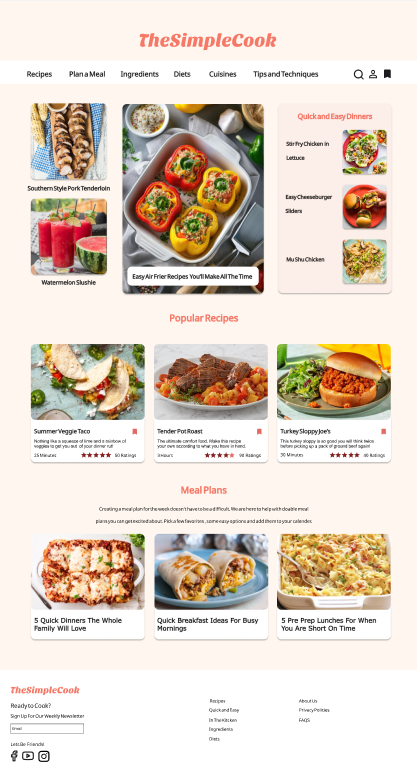
Home Page
Stunning photos and videos of finished dishes to enhance the recipes appeal and entice the user.
A brand name that will resonate with the target audience
Recipes that address the audience’s needs such as ease of preparation, dietary needs etc.
Color pallet that is inviting and evokes a sense of ease.
Fonts that are legible and consistent across headlines, body text and other elements.
The style of photography or images that make the dishes look irresistible.
Recipe content that is clear with detailed easy to understand requirements and instructions.
Search Page
1. Search Filters:
In most recipe site, when a user searches for a particular recipe, the site opens to a new page with different variations of the recipe for the user to select from. The user often has to make a selection based on the title of the recipe or the reviews it has received. This leaves the user overwhelmed with a lot of options and a huge screen to scroll through.
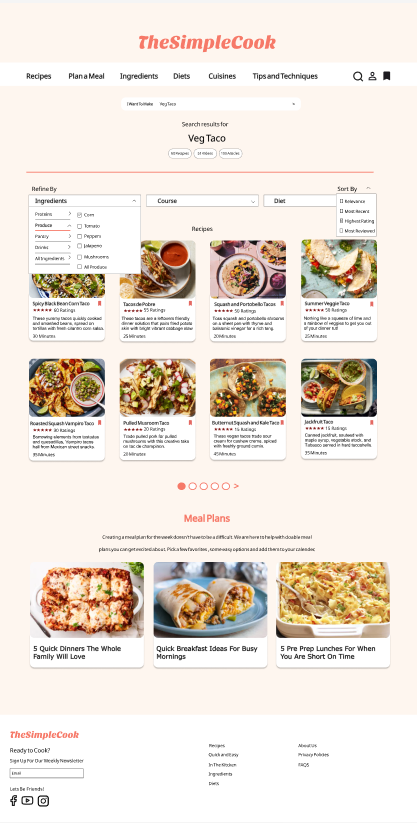
In my recipe site design I plan on providing the users with 3 main filters that can help narrow down the search and help users find the recipe that is best suited to their needs. The filter are as follows:
Ingredients: The ingredients filter is divided into 5 categories namely, Proteins, Produce, Pantry, Drinks and All Ingredients. The filter will have a multi select option allowing the user to find a particular recipe based on ingredients they have in hand.
Course: This filter will help the user find recipes that are fitting for the kind of meal they intend to prepare. This filter will have the option such as appetizer, entrée, side dish along with options like breakfast, lunch and dinner.
Diet: This filter will cater to users who would like to find recipes that fit their specific dietary needs. The filter includes options such as gluten free, vegetarian, vegan, low carb etc.
2. Sort Functionalities:
Any search function typically gets matches for the key words provided. The sort functionality helps organize the search results in a meaningful order.
The sort functionalities that I am using are:
Sort by Relevance which brings the recipes with a higher match to the top.
Most Recent to help the users find newer recipes.
Sort by Rating / Review will allow the user to find a more dependable recipe that may not be exactly what they were looking but close enough
3. Form Pattern:
The form patter that I see most fitting for my recipe site is the Autocompleting Pattern. I plan on using it in the search functionality. When the users enters recipe key words into the search input field, the most likely matches of recipes containing that key word will be suggested . This will help the speed up the search process as the user will not need to type out the entire recipe they are looking for. It can also be help the user by suggesting recipes they searched in the past or popular recipes that are close to what they intended to find.
Details
Clear and concise content:
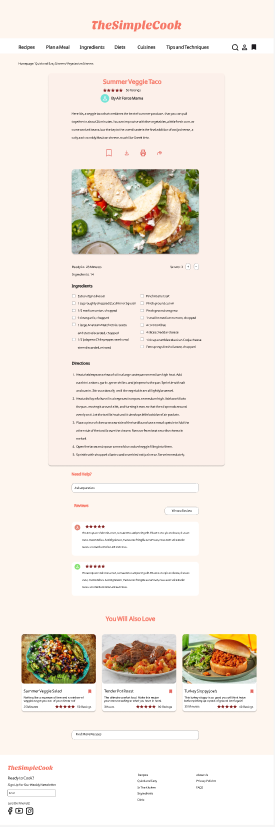
Breaking down instructions into simple, actionable steps with proper readability will avoid cognitive overload and make even complex recipes simple to follow.
Providing details such as prep time, cook time, serving size and difficulty level can help users quickly assess if the recipe is suitable for them.
Recipe titles with clear, specific and relevant keyword will attract user’s attention and improve SEO (search engine optimization)..
Account
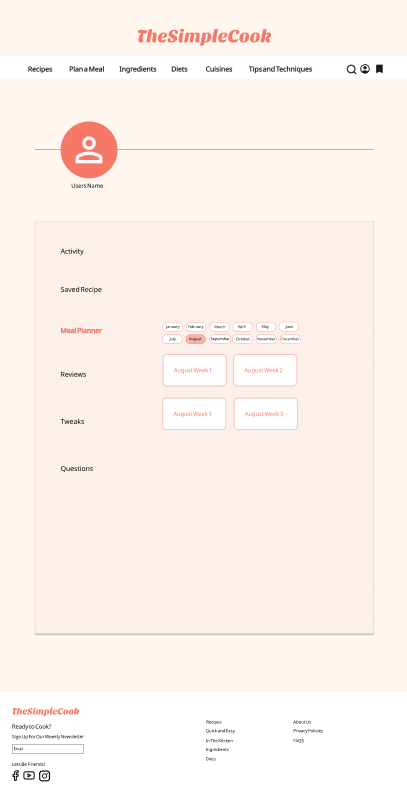
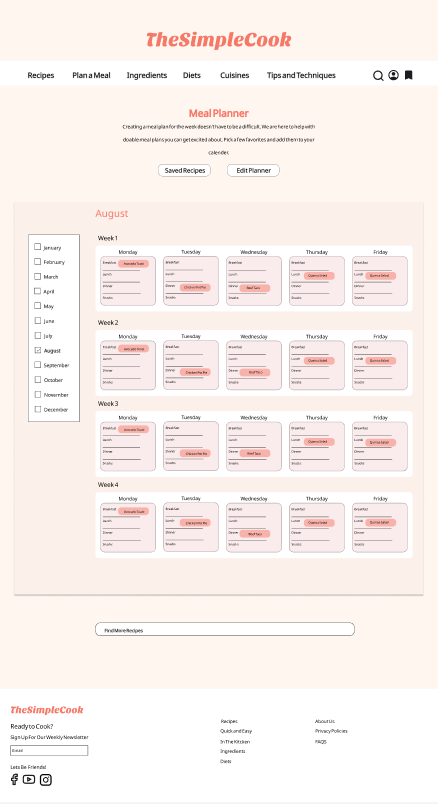
The account page helps the user view saved recipes for later use and and add the recipes into the meal planner.